Homeowner Contractor Control System
Before You Say Yes to Another Renovation Cost, Know What’s Left.
Compare kitchen or bathroom renovation quotes, track your chosen contract, and see what remains after payments and approved changes — before you approve the next expense.
Not just a record of what you spent. A clear view of what you’ve committed to.
Instant download. Works in Excel & Google Sheets.
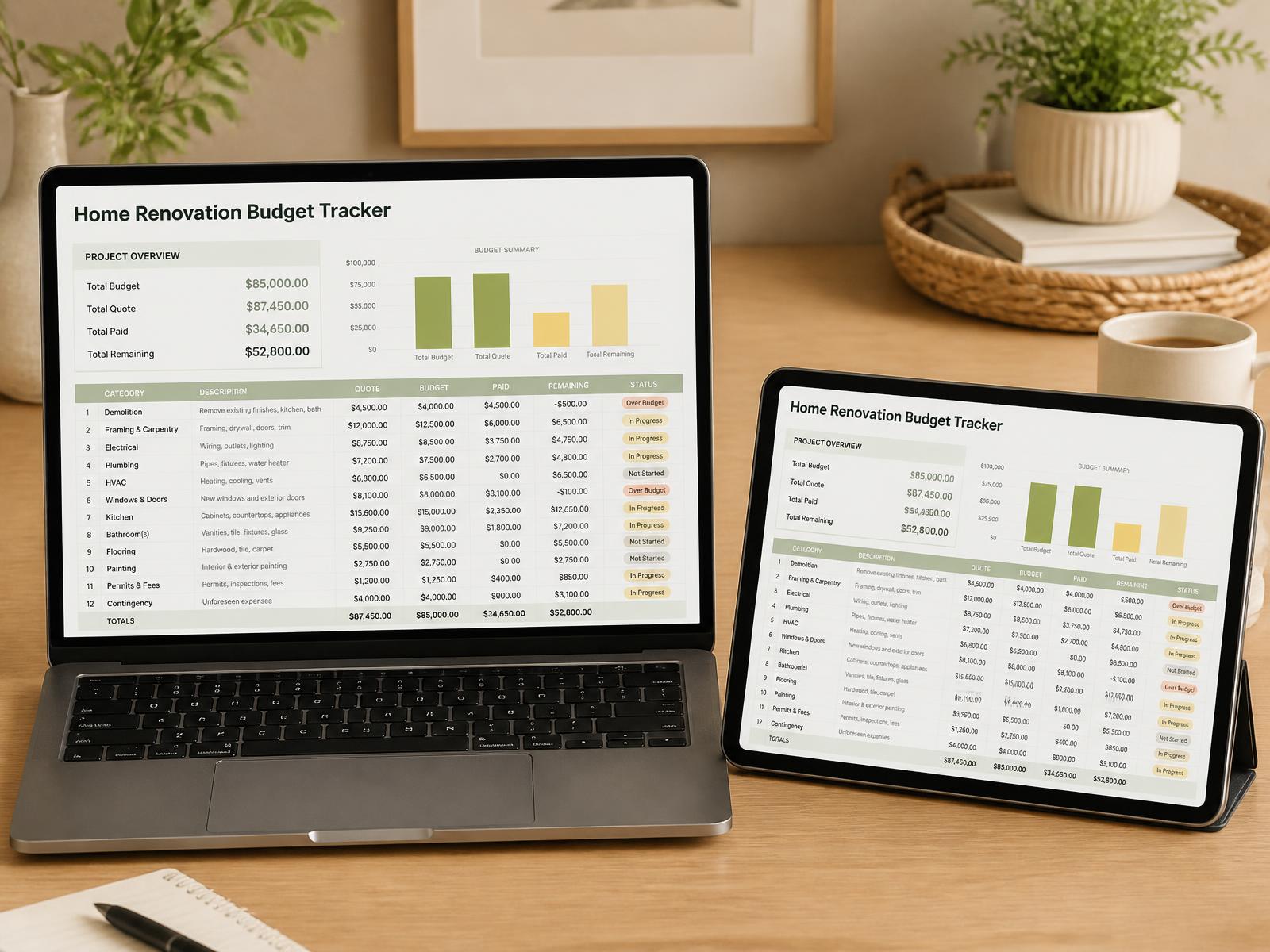
The problem
Three Bids. Three Totals. Zero Way to Know What You're Actually Comparing.
A homeowner posts on Reddit: three quotes for the identical kitchen job — $38,000, $51,000, and $67,000. Same room. Same wish list. Nearly double between the lowest and highest bid — and no way to tell why.
It's one of the most common renovation stories on the internet. The bids use different language, different inclusions, different allowances — so the "total" is the one number you can't actually compare. And the mistakes that follow are painfully predictable:
Comparing totals instead of scope
A $38,000 quote and a $67,000 quote for the 'same' kitchen are never the same job. One includes permits and disposal; the other quietly doesn't.
Treating allowances as final prices
That $3,000 tile allowance becomes $6,500 the day you actually pick tile. The quote didn't change — your real cost did.
Approving changes without updating the forecast
Each 'small' change order feels manageable. Three months later you're $11,000 over and can't say where it went.
Paying by habit instead of checking milestones
Writing the next check because 'it's Friday' — instead of because the work that payment covers is actually done.
The solution
One System. Three Steps: Quote → Commit → Control
Quote
Compare every bid line by line — scope, allowances, exclusions — so the totals finally mean something.
Commit
Lock the winning bid into an approved contract baseline: your single source of truth for what was agreed.
Control
Track every payment and change order against the baseline, with a live dashboard that shows exactly where you stand.
One guided workflow: set your budget, compare bids, choose your contract, log payments and changes, then review the dashboard. The formulas update from the numbers you enter.
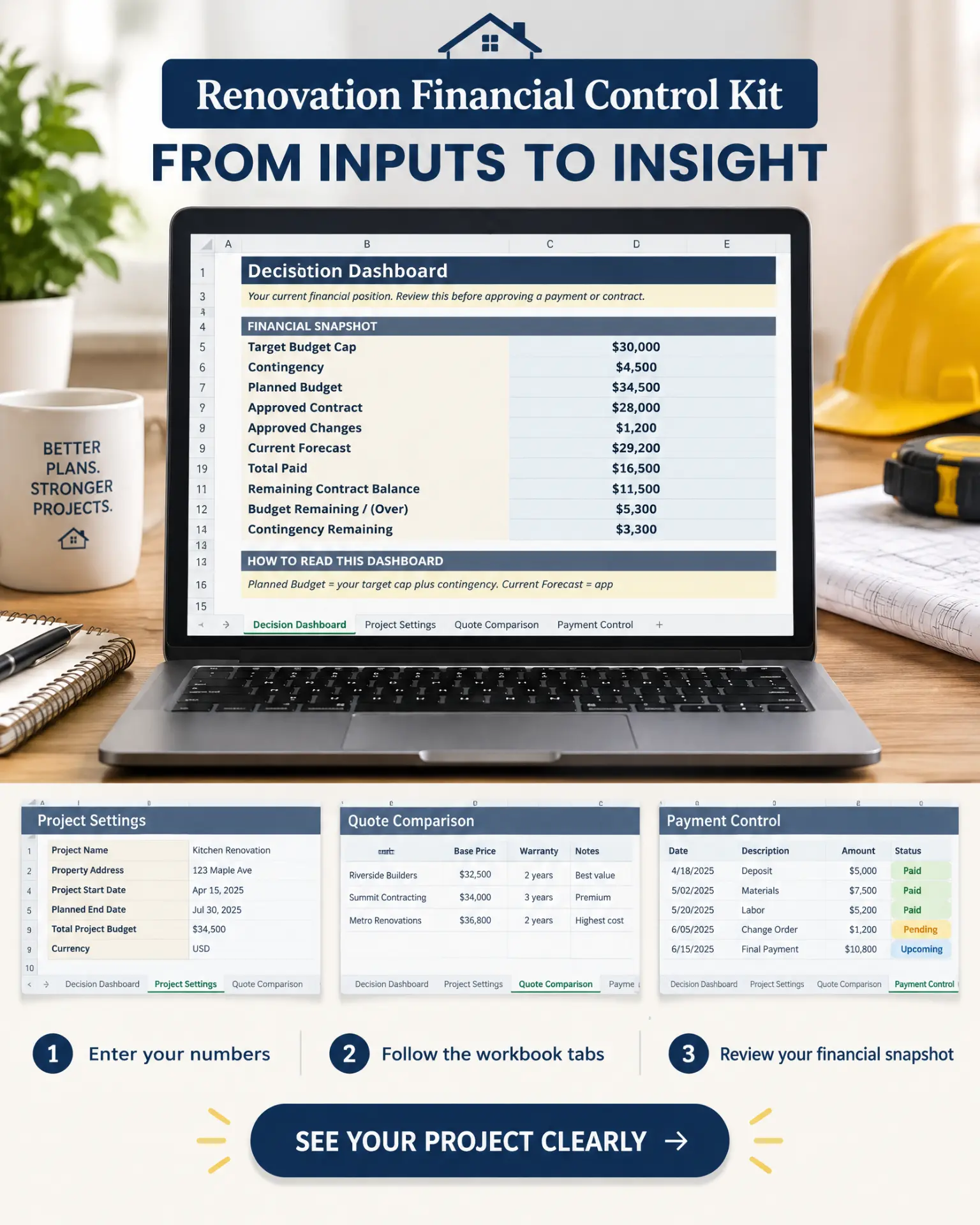
Inside the kit
Everything the kit handles for you
You don't need to be good with spreadsheets. The workbook guides you step by step, with kitchen and bathroom examples already filled in.
A complete path, not just a budget tracker
Set Budget → Compare Quotes → Choose Contract → Track Payments → Log Changes → Review Dashboard. Every phase mapped so you never wonder what to do next.
Real quote comparison, line by line
Materials, labor, systems, finishes, other costs, and total — see which bid actually gives the best value, not just the lowest price.
Separate Contract Baseline
After you pick the contractor, lock the approved contract as your baseline. Every payment and change is measured against this single source of truth.
Change Order Log
Log description, amount, status (Draft or Approved), reason, project impact, and the effect on your contingency — so nothing slips through.
Payment Control
Scheduled amount, paid amount, date, description, status, and remaining balance — know what's already gone out and what's still owed.
Contingency tied to your budget
Set your Target Budget Cap and contingency rate. The system shows Contingency Remaining after approved changes, so you know your margin before saying yes.
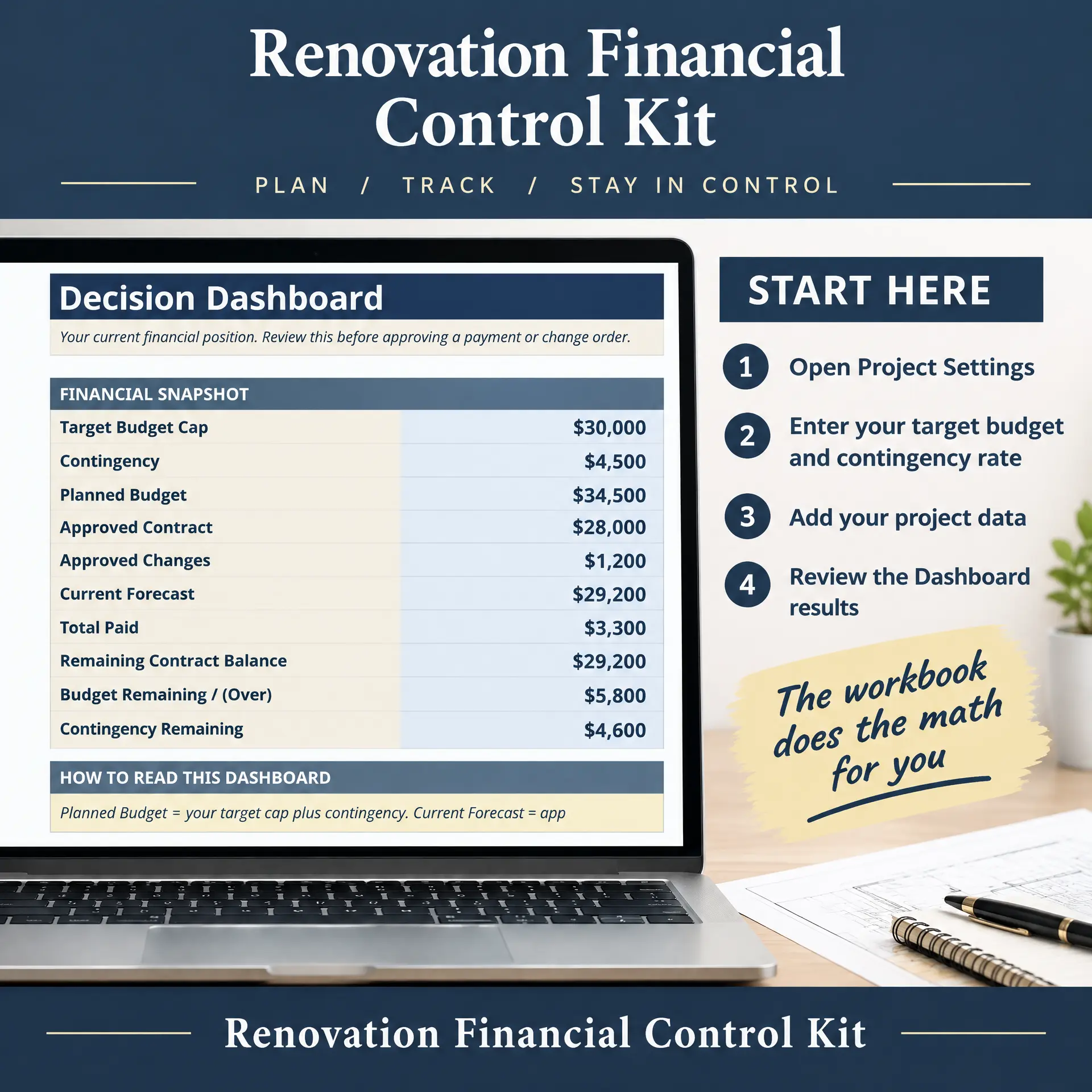
Decision Dashboard
Target Budget Cap, Contingency, Planned Budget, Approved Contract, Approved Changes, Current Forecast, Total Paid, Remaining Balance, and Budget Remaining/Over — all in one view.
3 ready-to-use PDF guides
5 Costly Renovation Mistakes
The five budget-blowing traps homeowners fall into — and how to avoid them before they cost you.
Contractor Interview Script
Ask every bidder the same questions so you compare their answers, not their sales pitch.
Contractor Vetting Checklist
Red flags to check before you sign: license, insurance, references, payment schedule, and more.
Instant download. Works in Excel & Google Sheets.
Built for the Homeowner, Not the Contractor
- First-time renovators comparing multiple bids for the first time
- Couples managing a renovation project together
- Homeowners mid-renovation who need to get organized now
- Anyone managing a bathroom remodel with multiple trades
- Planners who want every decision documented before money moves
Not for: contractors managing their own business operations — this is built for the homeowner buying the work, not the business selling it.
Less planning clutter. More financial clarity.
Don’t Just Track Spending. Check What You Can Commit To.
A renovation planner can organize the project. This kit focuses on the money decision: “Does my current forecast leave room for the next payment or change?”
The friction
- Lots of planning sections, but no clear next step
- A list of expenses that doesn't show your unpaid contract commitments
- Changes kept in messages, separate from your budget
- Unclear whether you need Excel or can use Google Sheets
Your kit’s answer
- A Start Here guide and one path from budget to dashboard
- Separate views of your approved contract, total paid, and remaining balance
- A Draft / Approved change log, with approved changes reflected in your forecast
- Works in Excel or free Google Sheets, with a demo you can watch before buying
10-minute quick start
Up and Running Tonight
Watch the kit in action: 28-second tour from quote comparison to the decision dashboard.
- 1
Define your project
Enter your rooms, scope, and target budget once.
- 2
Compare quotes
Paste each bid into the same line-by-line format and see the real differences.
- 3
Commit to your baseline
Lock the approved contract as your benchmark for the whole job.
- 4
Track payments
Log each payment against completed milestones — not the calendar.
- 5
Log changes
Approve or decline every change order with its cost impact visible first.
- 6
Check the dashboard
Before you approve anything, see exactly where the budget stands.
What Homeowners Say

Sarah Mitchell
online · Kitchen renovation
Hi Sarah! How did the kitchen quotes turn out?
18:26
So glad I bought the kit 🥹 We had three quotes from $34,000 to $61,000. I thought the cheapest was a no-brainer, but the comparison sheet showed it had $8,000 in allowances that would've hit us later. The middle bid was actually the most complete!
18:29
That's exactly what it's for! So happy for you 💛
18:30
Austin, Texas

David Chen
online · Bathroom remodel
Did the change orders stay under control?
19:12
Honestly, this kit paid for itself a hundred times over. Midway through the job the contractor said 'while we're at it...' three times. Because the baseline was locked, I could see exactly what each change added. We approved two, said no to the one that wasn't worth it.
19:15
Love reading this! That's the system working 💛
19:16
Toronto, Ontario

Emma Richardson
online · Kitchen & bathroom
How are you finding the dashboard?
20:03
I'm not a spreadsheet person at all, but everything is laid out. I log a payment, the dashboard updates, and I know instantly if we're on track. It already saved us from paying a stage invoice before the work was finished 😍
20:06
So glad it's helping! Thanks for sharing 💛
20:07
Bristol, UK
Get the Complete System
Homeowner Contractor Control System
$69.99 47% off
$37
One-time payment. Lifetime access. No subscription.
- Control System Workbook (Excel + Google Sheets)
- "5 Costly Renovation Mistakes" Guide (PDF)
- Contractor Vetting Checklist (PDF)
- Contractor Interview Script (PDF)
- Kitchen & Bathroom Worked Examples
Secure checkout. One-time payment. Lifetime access. No subscription.
7-Day Money-Back Guarantee
Download the kit, open the workbook, and run your real quotes through it. If it doesn't help you feel more in control of your renovation budget within 7 days, email us for a full refund — no questions asked.
Frequently Asked Questions
No. Every formula is pre-built. You type in numbers and pick from dropdowns — the comparisons, totals, and dashboard update automatically. If you can fill in a form, you can use this.
Your Next “Yes” Should Start With the Numbers.
Know what’s agreed, what’s paid, and what budget remains. Get the complete control kit and three bonus PDF guides for $37.
Instant download. 7-day guarantee. Works on Mac, PC, and Google Sheets.